Build a resume that gets you the interview.
Fill in a simple form, pick a professional template, and download a polished PDF in minutes. Ready-made examples for your job help you find the right words.
- 8 professional templates
- Writing help for 20+ jobs
- PDF & Word download
- Private: stays in your browser
Your new resume in three easy steps
No design skills needed. We take care of the layout, so you can focus on what you want to say.
Fill in your details
A friendly step-by-step form guides you through contact info, experience, education and skills. Your resume updates live as you type.
Pick a design
Choose from 8 templates, then set your color, font and one or two columns. Switch any time — your text stays put.
Download & apply
Save a crisp PDF, print it, or download a Word file. Check your resume score first to make sure nothing is missing.
Everything you need to land the job
All the tools of a full resume service, in one simple page.
Writing help for your job
Ready-to-use summaries, achievement bullet points and skills for more than 20 jobs. Click to add, then make them yours.
Live preview
See exactly how your resume looks while you type, with page breaks clearly marked.
Resume score & checklist
An instant check of the essentials recruiters look for, with simple tips to fix what is missing.
Templates, colors & fonts
8 professional designs, 11 accent colors plus your own, 9 fonts, adjustable text size and spacing.
Matching cover letters
Create a cover letter in the same style with one click, with example paragraphs to get you started.
Every section you need
Experience, education, skills, languages, certifications, projects, volunteer work, references — plus your own custom sections.
Autosave & multiple resumes
Everything saves as you type. Keep a different version for every job and switch between them in a click.
Private by design
No account and no uploads. Your resume lives in your own browser, and you can back it up to a file any time.
PDF, Word & text
Download a free PDF (with a light watermark), plain text for online forms, or a clean PDF + Word file for a one-time $4.99.
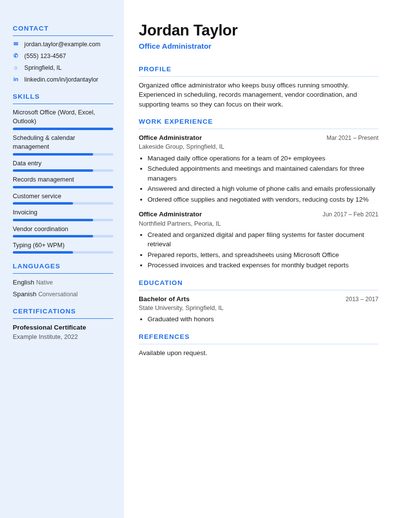
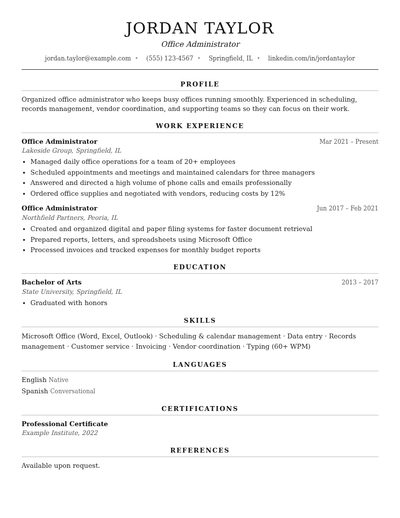
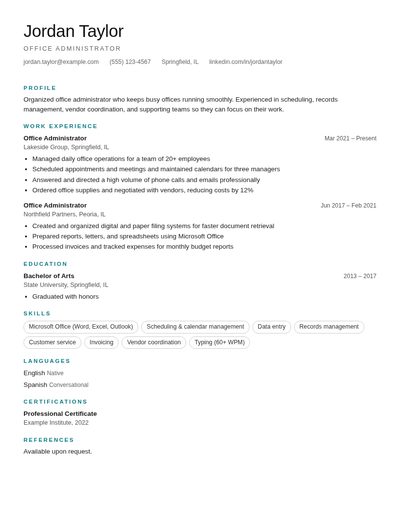
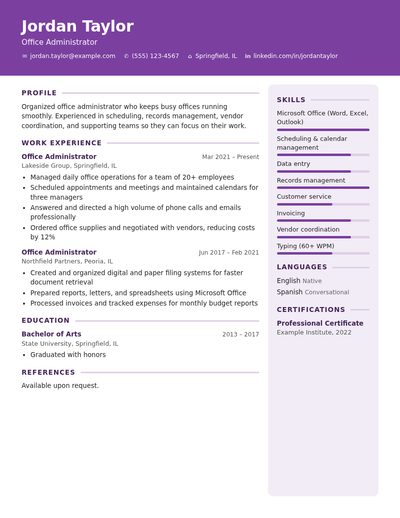
Professional resume templates
Designed with clear structure and readable fonts that hiring managers and applicant tracking systems can follow.
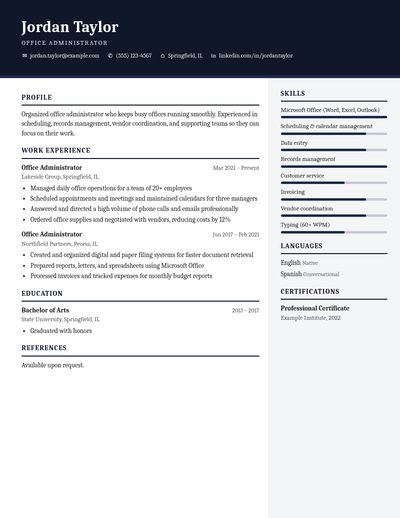
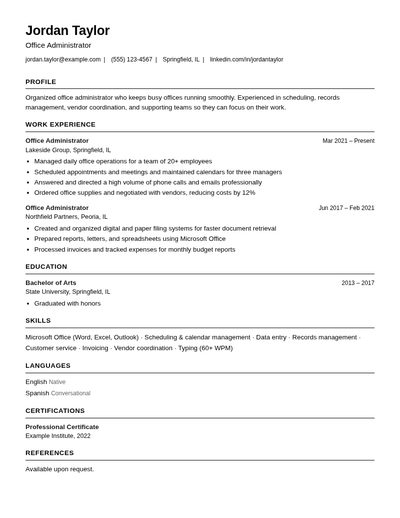
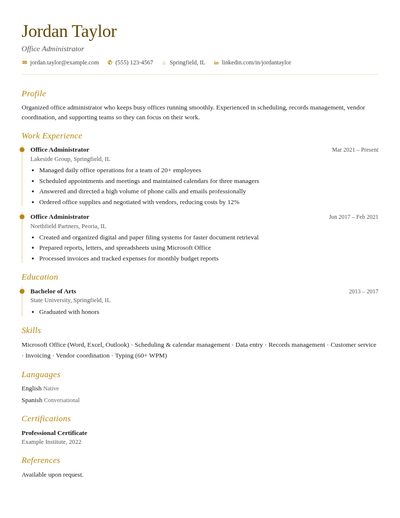
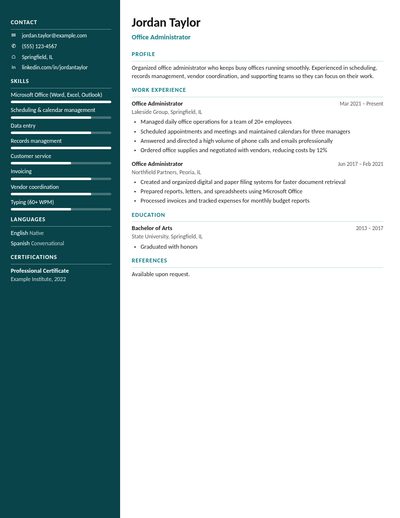
Resume examples by job
Open a complete sample resume for your field and simply replace the details with your own.
Simple, honest pricing
Free to build and preview. One-time $4.99 for a clean PDF + Word file. No subscriptions.
Build & preview
Everything you need to write and design your resume.
- All 8 templates, colors and fonts
- Writing help for 20+ jobs
- Resume score and checklist
- Cover letter builder
- Unlimited resumes, autosaved
- Free PDF with a light watermark
Clean download
Pay once and download as often as you like on that device. No subscription, no auto-renewal.
- Clean, high-quality PDF, ready to send
- Editable Word (.doc) file
- No watermark
- Works for your cover letters too
- No auto-renewal, ever
Frequently asked questions
Quick answers to the questions we hear most.
Is EasyResumePro really free?
Building, editing and previewing your resume and cover letter is free, with every template, color and writing tool included. The free PDF carries a light EasyResumePro watermark. A clean PDF plus a Word file is a one-time $4.99. There is no subscription and nothing renews automatically.
Do I need to create an account?
No. Just open the builder and start typing. Your work saves automatically in your browser, so you can close the page and come back later on the same device.
Where is my information stored?
On your own computer or phone, in your browser’s storage. Your resume is not uploaded to our servers. To move it to another device, use “Back up” to save a file and “Import” to open it there.
How do I download my resume as a PDF?
Click Download PDF. The print window opens; choose “Save as PDF” as the destination and click Save. The free PDF has a light watermark; after the one-time $4.99 you get a clean PDF that looks exactly like your design.
Will my resume pass applicant tracking systems (ATS)?
Our templates use real text (not images), standard headings and a clear reading order. For online application portals, the Simple ATS template is the safest choice, and the checklist in the Finish step helps you cover the basics.
Can I make more than one resume?
Yes. Keep as many resumes and cover letters as you like — for example one per job you apply to. Open “My documents” to switch, copy, rename or delete them.
Can I use it on my phone?
Yes. The builder works on phones, tablets and computers. On a phone, tap Preview at the bottom to see your resume and Edit to go back to the form.
Can I download a Word file?
Yes. The editable Word (.doc) file comes with the one-time $4.99 clean download. A plain text version for pasting into online forms is always free.
What if I don’t know what to write?
Use Writing help. Choose your job — teacher, nurse, office admin, sales, bookkeeper, customer service, programmer and many more — and click any example summary, bullet point or skill to add it. Then edit it to fit your experience.
Ready to build your resume?
It takes about 15 minutes. No sign-up, no credit card.
Create my resume now